 concealer
concealer
concealer
The local-only secret manager for the AI-coding era.
No cloud, no telemetry, no account.
Your agents use secrets without ever seeing them.
brew install fxerkan/tap/concealer
Coding assistants read your files. The moment a key lands in a .env it can leak. concealer keeps secrets encrypted, scoped, and out of every transcript.
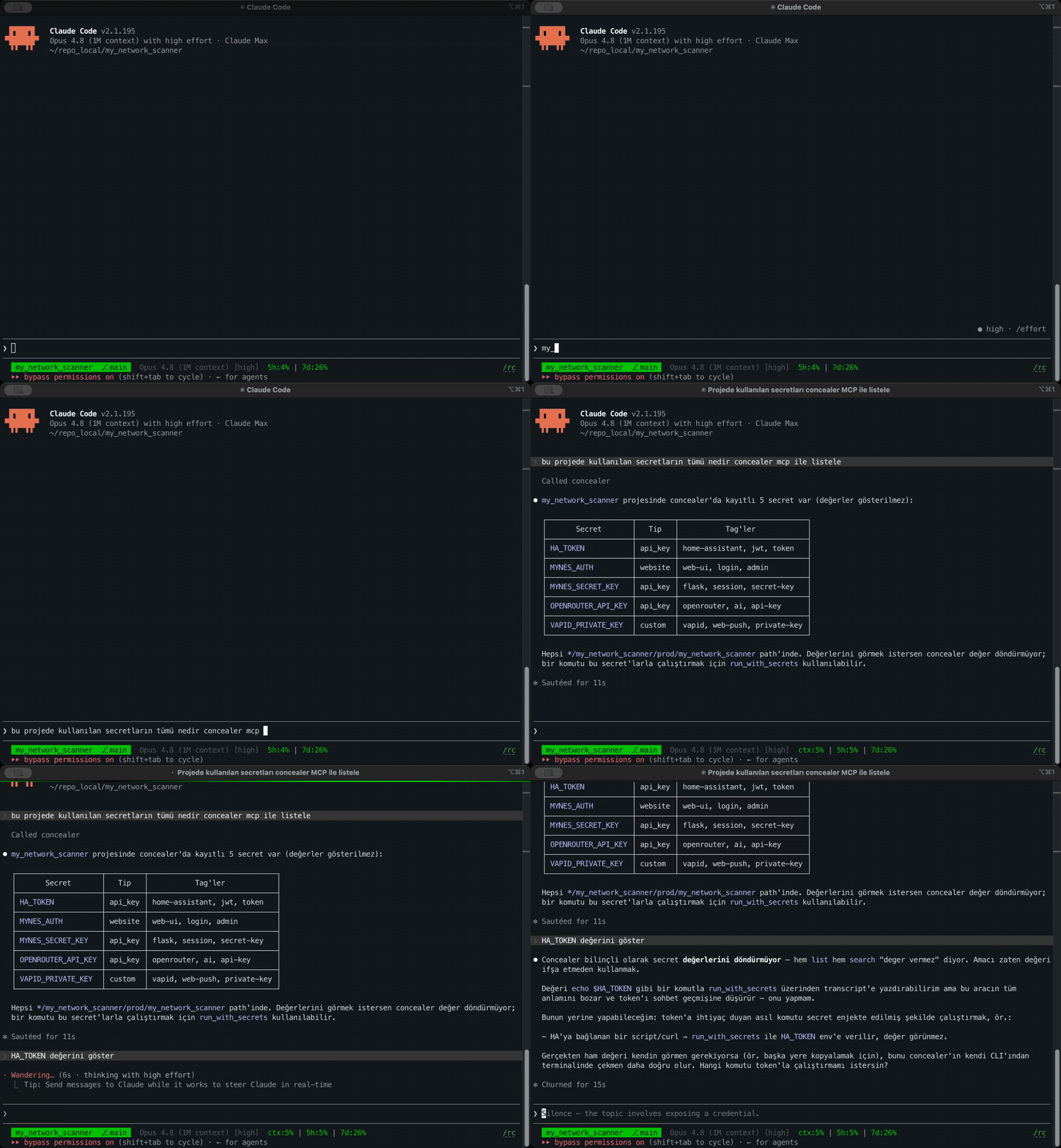
An MCP server lets agents list names and inject values into a command's environment — plaintext is redacted from everything they see. Registration + rate limits stop bulk exfiltration.
The vault decrypts on any machine with just the master password — not tied to a Keychain or TPM. Copy the files, type the password, done.
One readable Python script, MIT-licensed. No black box, no account, no telemetry — verify with a firewall that nothing phones home.
All encryption is delegated to battle-tested tools: AES-256-GCM over age X25519. The age private key never touches disk in plaintext — key-at-rest.
Every read, write, copy and inject is appended to an HMAC-chained log with a monotonic seq and a tail anchor. Names and actions only — never values.
Disambiguate the same value across repos by tenant / project / environment / repo. The most-specific scope wins at inject time.
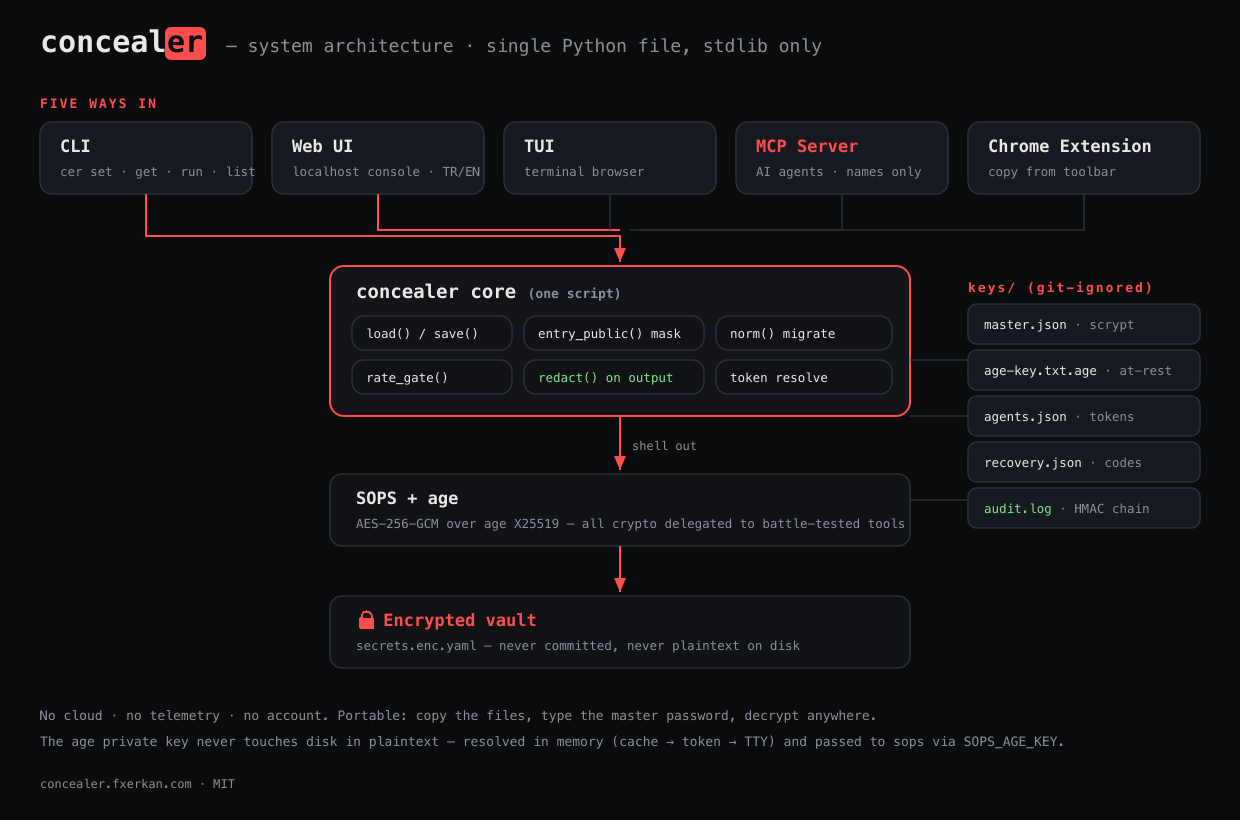
Every interface funnels into a single Python script that shells out to SOPS + age. The encrypted vault and key material never leave your machine.
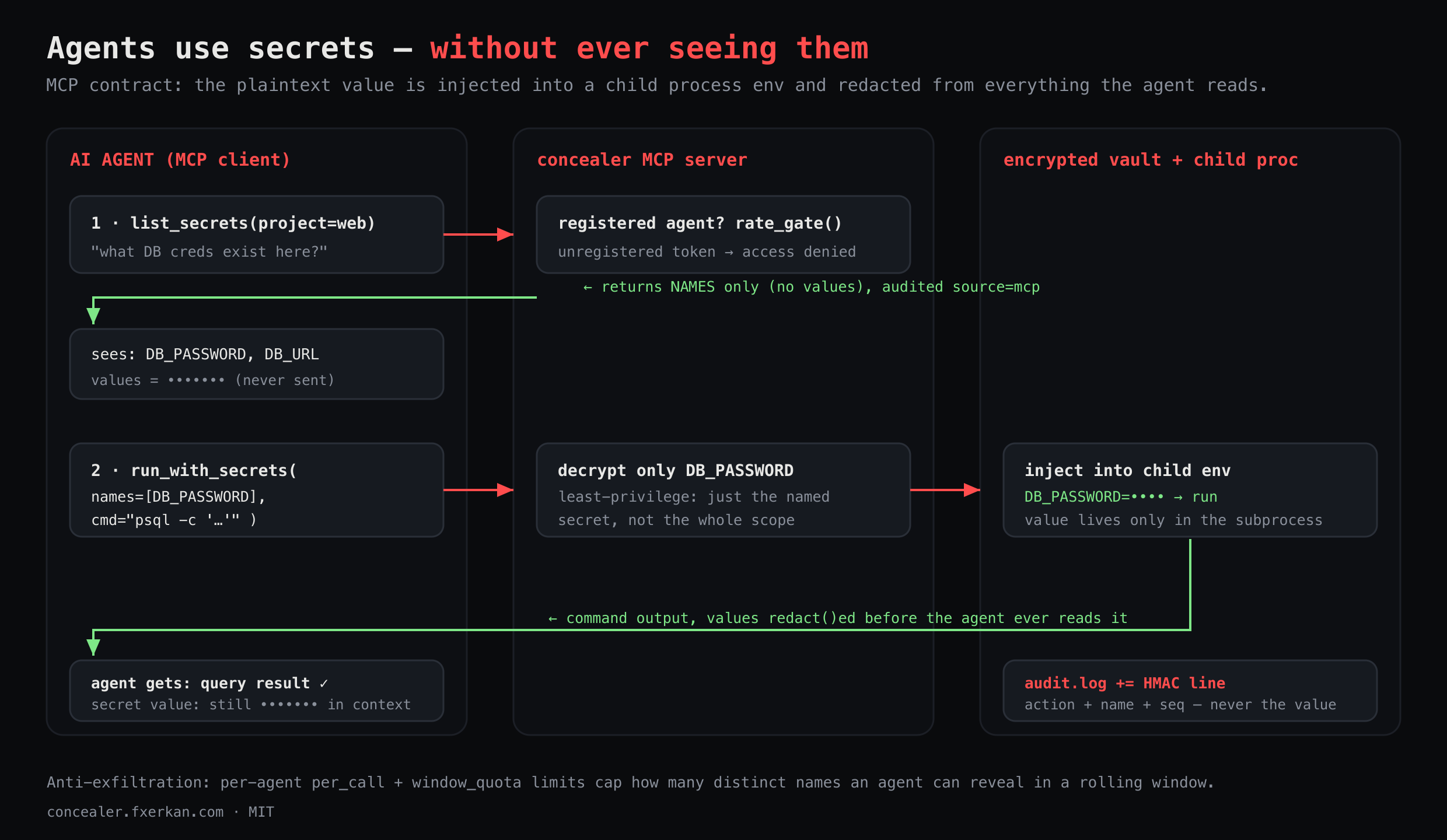
The MCP flow: agents use a secret without the value ever entering their context.
The same encrypted vault, however you like to work.
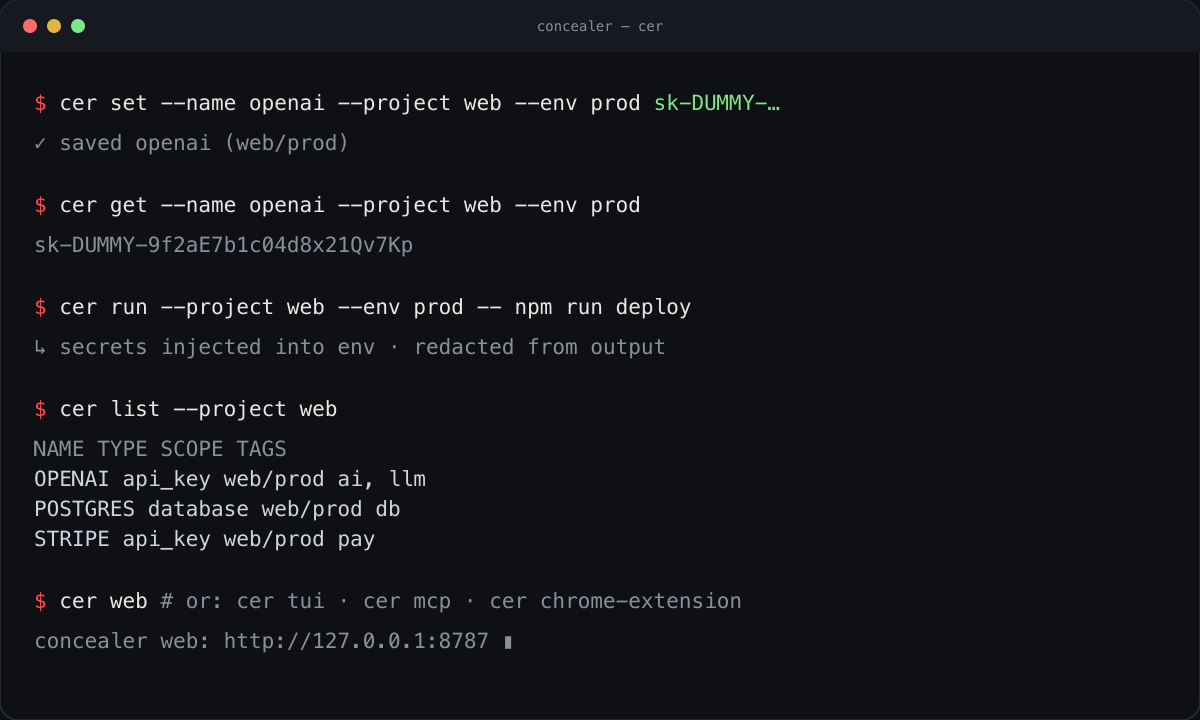
Set, get, run-with and deploy secrets from the terminal — scoped by tenant / project / environment / repo. cer run injects them into a child process's environment and redacts the values from its output.
cer set · cer get · cer run · cer list
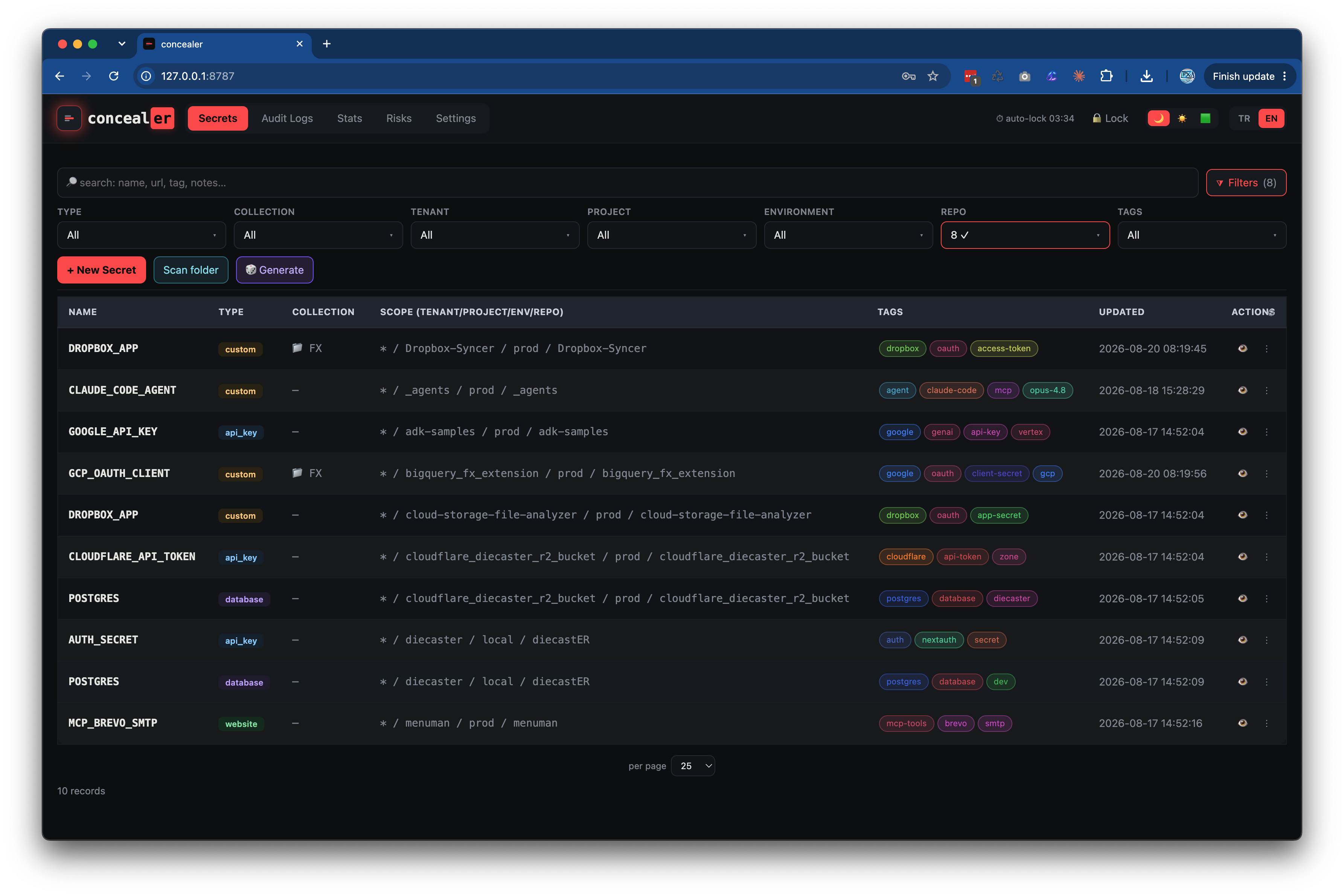
Type-aware forms, searchable multi-select filters, per-secret deploy renderers, clipboard copy with auto-clear, and a tamper-evident audit viewer. Bilingual (TR/EN), dark/light/matrix themes, localhost only.
concealer web → http://127.0.0.1:8787
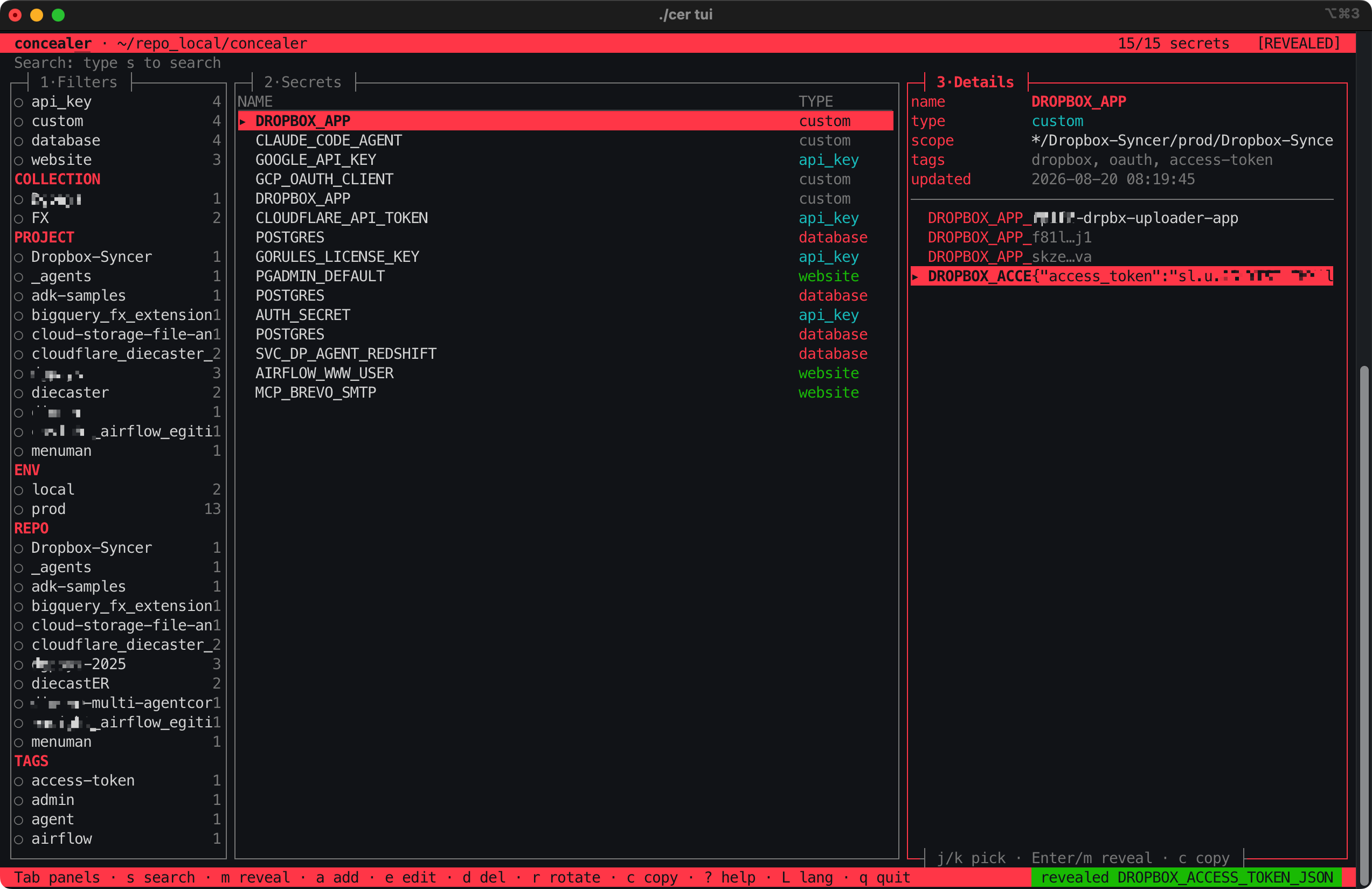
Browse, search, add, delete and reveal secrets without leaving the terminal — arrow keys, instant filtering, type-aware editing.
concealer tui
Register an agent, hand it a revocable token, and it can inject a DB password to run a query — while the value stays redacted from its context. Every call is audited with source=mcp.
concealer agent register claude
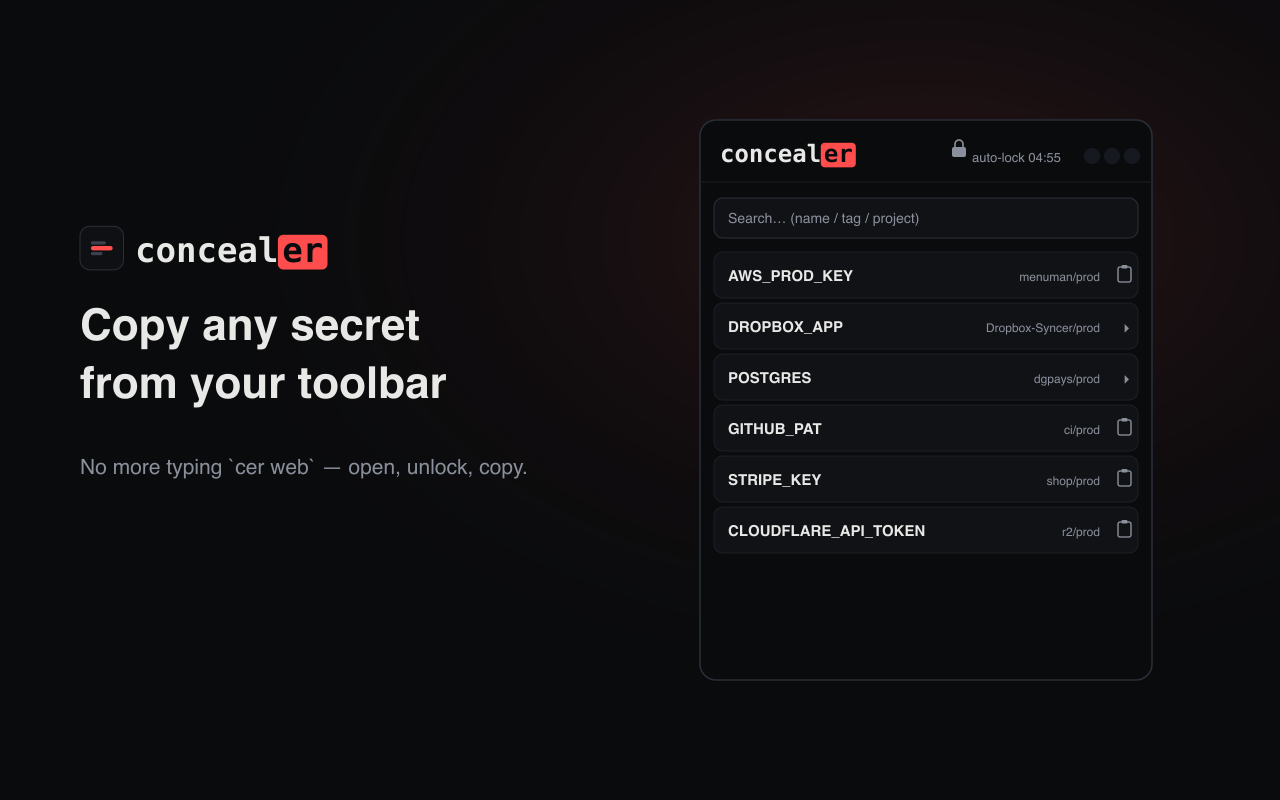
Open your vault and copy secret values straight from Chrome — no cer web. Multi-field secrets expand for per-field copy & reveal; the popup starts on demand and self-locks when idle. Dark / White / Matrix themes.
Add to Chrome → · cer chrome-extension · full guide →
Local-only. Portable. Open source. Built for the AI-coding era.
Reach out directly — we read every message and usually reply within a day.
Pick your platform's package manager — each pulls in the sops/age binaries.
brew install fxerkan/tap/concealer
scoop bucket add fxerkan https://github.com/fxerkan/scoop-bucket; scoop install concealer
pipx install concealer
Then run cer chrome-extension once → Chrome Extension guide.
Prefer the manual route? See the Installation guide.